The 7 Brew App Is Here!
Order Ahead & Earn Rewards. Everything you need to know about downloading, ordering, and getting the most out of it, plus the real issues people are running into.
The Complete 7 Brew App Guide
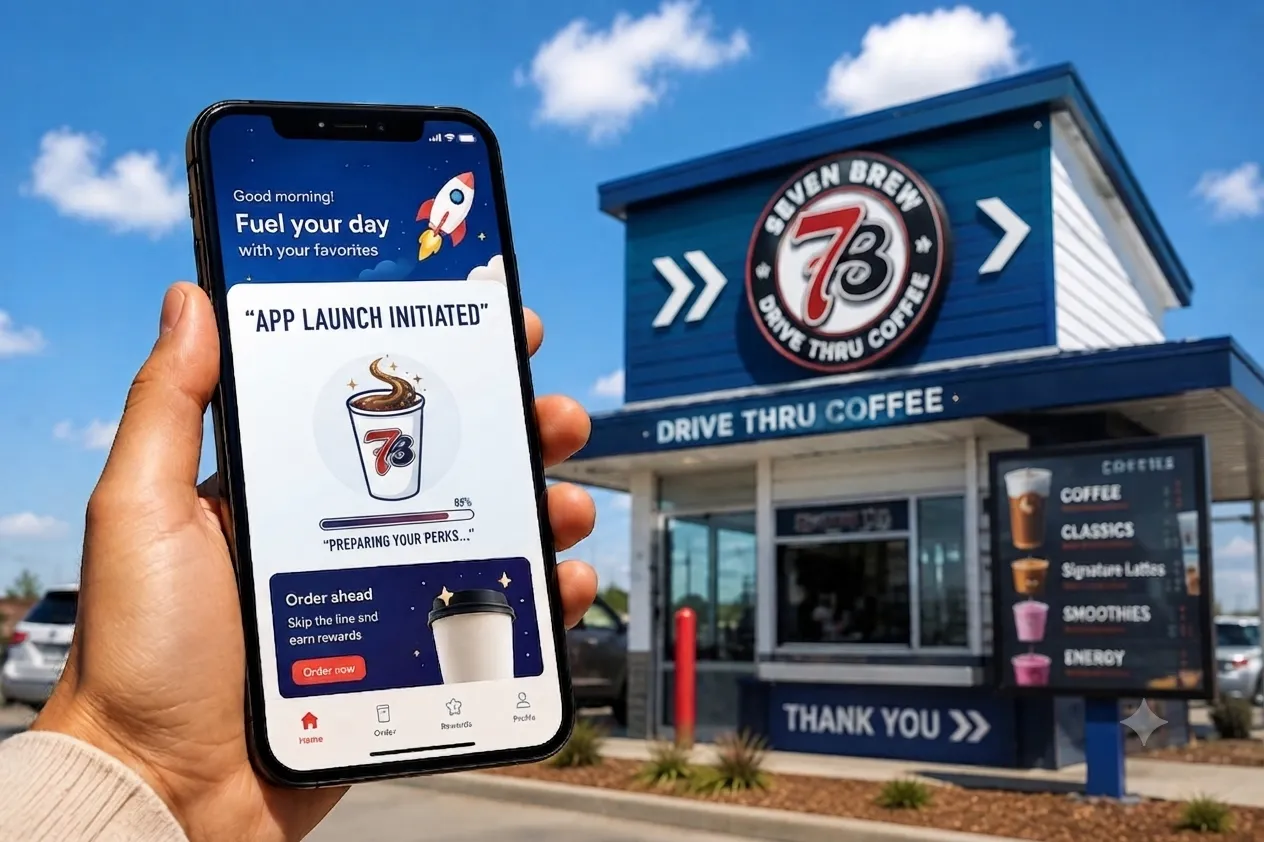
The first-ever 7 Brew app launched August 12, 2026, ending nearly a decade of drive-thru-only, no-app ordering. We’ve dug through the official launch details, company statements, and real early user feedback to build the most complete guide to what the app actually does, where people are running into problems, and how to get the most out of it.
What Is the 7 Brew App?
The 7 Brew app is the coffee chain’s first official mobile ordering and rewards platform, giving guests a way to order ahead, customize drinks from more than 20,000 combinations, browse the newly public secret menu, track and redeem 7 Brew Rewards points, and save favorite orders for quick reordering. It’s a free download, available on both the App Store and Google Play.
When Did the 7 Brew App Launch?
- August 5, 20267 Brew officially announces the app via a company press release, confirming the August 12 launch date, key features, and Rewards program changes.
- Wednesday, August 12, 2026The app becomes available as a free download on the App Store and Google Play.
- August 20-26, 2026Sip Your Way to 100K Points launch week promotion runs for 7 Brew Rewards members.
Where Can You Download It?
Watch Out for Lookalike Apps
Searching app stores for “7 Brew” or “Brew Rewards” can surface unrelated apps that use similar names but have nothing to do with 7 Brew Coffee, including at least one loyalty app for a completely different oil and grocery business. Confirm you’re downloading the official 7 Brew app by checking that the developer matches 7 Brew and the app icon matches the brand’s red-and-black “7B” logo before entering any personal information.
The safest way to find the correct app is to start from 7brew.com/rewards or the official 7brew.com homepage, which links directly to the correct App Store and Google Play listings.
Key Features at a Glance
Order Ahead
Build and pay for your drink before you arrive, then pull up and grab it.
Secret Menu Access
Search and build 60+ secret menu combinations directly in the app.
Full Customization
Build your own drink from over 20,000 possible combinations.
Rapid Reorder
Save your go-to drink and reorder it in a couple of taps.
Stand Locator
Find your nearest 7 Brew and check hours before heading out.
Save & Share
Store favorite builds and share them with friends.
How to Order Ahead in the App
- Step 1Open the app and select your nearest 7 Brew stand from the locator.
- Step 2Browse the menu, build a custom drink, choose a secret menu item, or pick a saved favorite.
- Step 3Pay in-app, then head to the stand. 7 Brew says every app order is prepared fresh once you arrive, not sitting on a counter waiting.
- Step 4Pull up to the window and identify yourself as an app order to the Brewista.
How 7 Brew Rewards Works in the App
The core Rewards structure hasn’t been torn up, it’s been extended. You still earn and redeem the same way you always did, with one new option added on top.
| Rewards Detail | Before the App | Starting August 12 |
|---|---|---|
| Points per order | 100 points | 100 points (unchanged) |
| Redeem for a free drink | 1,000 points, any size | 1,000 points, any size (unchanged) |
| Merch redemptions | Not available | New: bank points for exclusive merch |
| Order-ahead | Not available | New: full order-ahead in-app |
| Secret menu access | Ask your Brewista | New: searchable in-app |
How Many Points Do You Earn?
You earn 100 points for every qualifying order, whether you order in-app or in person at the drive-thru with your phone number. There’s no bonus for ordering through the app specifically, the earn rate is the same across both channels.
How to Redeem Rewards
Once you’ve banked 1,000 points, you can redeem them for a free drink of any size, in any customization, through the app. The new merch redemption option lets you bank points toward exclusive branded items instead of a drink, if you’d rather save up for something else.
Can You Customize Drinks in the App?
Yes. The app gives you access to the same customization system available at the drive-thru window, letting you build from more than 20,000 possible combinations across coffee, 7 Brew Energy, 7 Fizz sodas, teas, lemonades, smoothies, and shakes.
Does the App Show the Secret Menu?
Yes, and this is one of the biggest changes the app brings. For years, 7 Brew’s secret menu existed only through word of mouth and social media, with customers reciting long custom orders to Brewistas from memory. The app now makes more than 60 secret menu combinations officially searchable and buildable with a few taps, the first time the chain has made this information public in one place.
Can You Create Your Own 7 Brew Drink?
Yes. Beyond ordering a pre-set secret menu item, the app lets you build a fully custom drink from scratch by selecting a base, flavors, milk or cream options, and add-ins, then save it to your favorites for one-tap reordering next time.
7 Brew App vs. Ordering at the Stand
| Factor | App Order | In-Person Order |
|---|---|---|
| Wait time | Skip the speaker, pull up and pick up | Full drive-thru wait |
| Secret menu | Searchable, built for you | Must know and recite the recipe |
| Freshness | Made fresh on arrival, per 7 Brew | Made fresh on order |
| Rewards earning | 100 pts/order | 100 pts/order (same rate) |
| Human interaction | Brief handoff at window | Full Brewista interaction |
What Early Users Are Saying
Reaction to the app has been largely positive, but a few genuine concerns have come up repeatedly, both before and immediately after launch:
7 Brew has directly addressed the freshness half of that concern, stating that app orders are prepared once you physically arrive at the stand rather than sitting pre-made on a counter. Whether order-ahead volume creates longer physical lines at busy stands, the same way it sometimes does at other drive-thru chains, is something that will likely only become clear over the app’s first few weeks in daily use.
A Known Rewards Transition Issue
7 Brew’s own Rewards page has acknowledged that some customers may see incorrect information in their account during the platform transition, including inaccurate point totals or rewards that don’t appear to be available. The company says this is a display error, not a loss of actual points, and is working to correct it. If your balance looks wrong, give it a few days before assuming anything is actually missing.
Common Issues and How to Fix Them
Points not showing up
Allow 24-48 hours for points to post after a purchase before assuming they’re missing.
Switched phone numbers
Points are tied to your phone number. If it changes, contact support to migrate your account rather than assuming your history is gone.
Downloaded the wrong app
Double-check the developer name and logo before creating an account, since lookalike apps exist in both stores.
“0 points” after redeeming
This is normal. Your points reset to zero after a free drink redemption; it doesn’t mean your account was wiped.
Frequently Asked Questions
What is the 7 Brew app?
7 Brew’s first official mobile app, letting guests order ahead, customize drinks, browse the secret menu, and track Rewards points.
When did the 7 Brew app launch?
August 12, 2026, as a free download on the App Store and Google Play.
Where can you download the 7 Brew app?
Directly from the App Store or Google Play, or via the official link at 7brew.com/rewards. Watch out for similarly named unrelated apps.
Does the app cost anything?
No, the app is a free download.
How many points do you earn per order?
100 points per qualifying order, the same rate whether you order in-app or in person.
How do you redeem rewards?
1,000 points redeems a free drink of any size, or you can now bank points toward exclusive merch instead.
Can you customize drinks in the app?
Yes, the app supports the same full customization available at the drive-thru, across more than 20,000 combinations.
Does the app show the secret menu?
Yes, more than 60 secret menu combinations are now officially searchable and buildable in the app for the first time.
Can you create your own 7 Brew drink in the app?
Yes, you can build a fully custom drink from scratch and save it as a favorite for quick reordering.
Is ordering through the app faster than the drive-thru?
It can be, since your drink is started as you arrive rather than after you order at the speaker, though busy stands may still have wait times for pickup.
Why does my Rewards balance look wrong?
7 Brew has acknowledged a display issue during the Rewards platform transition. Your actual points and rewards are safe even if the number shown looks off; give it a few days or contact support if it persists.
Related Reading
Get the App and Start Earning
Download the official 7 Brew app and sign up for Rewards to start earning on your next order.
Get Started at 7brew.com/rewardsThis is an independent, fan-run guide and is not affiliated with, endorsed by, or officially connected to 7 Brew Coffee Inc. App features, screens, and policies may change; always confirm current details in the official app or at 7brew.com.